
Support
Our goal is to build the private Internet. Where you don’t have billions of people totally dependent on centralized, misaligned counterparties to do anything online. Our apps today match Google Docs, Sheets and Drive on feature parity and ease of use, while guaranteeing user control over their data and privacy.
We build safe, collaborative spaces for your fics and more. Without data mining or intrusive AI. On the technical side, we're post-quantum safe and end-to-end encrypted by code, not by promise <3
FAQ
Fileverse is an open-source, end-to-end encrypted alternative to Google Workspace, Notion, and Microsoft 365, made up of a growing suite of privacy tools like Fileverse dDocs (ddocs.new) and Fileverse dSheets (dsheets.new).
Billions of internet users have traded their digital rights for the convenience of Big Tech platforms. These platforms jeopardize people’s privacy, creativity, and digital freedom through account and data lock-in mechanisms, intrusive ads, centralized control, AI training, and arbitrary censorship. Fileverse offers the comfort of familiar apps but with end-to-end encryption and data portability built-in by design.
The Fileverse middleware provides the core infrastructure that powers beta apps such as ddocs.new, dsheets.new, open SDKs and the Fileverse API. The middleware focuses on privacy by design, decentralization and sovereignty by default, full user control over data, and open-source standards. The source code is publicly available on GitHub under the AGPL-3.0 license.
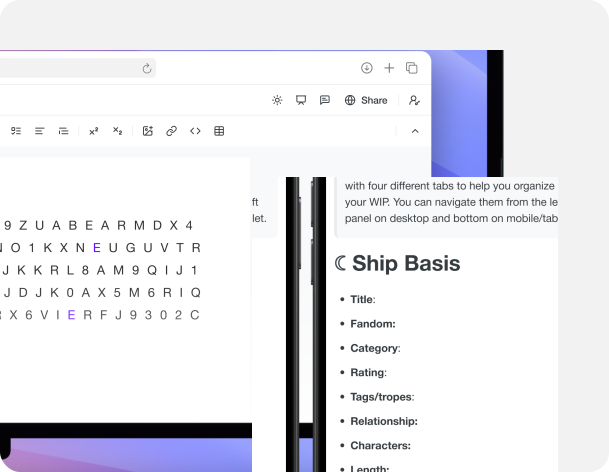
ddocs.new (public beta) is a privacy-first and open-source alternative to Google Docs and Microsoft Word, built on the Fileverse middleware. It offers an end-to-end encrypted collaborative document editor secured with post-quantum cryptography, for groups and teams to work, collaborate, and share knowledge online in a fast and secure way.
Unique dDocs features include: offline mode, Markdown/LaTeX support, dark mode/themes, and private zero-knowledge powered access permissions and social recovery. Data stays local (IndexedDB), with optional saving on decentralized servers (IPFS) for sharing and cross-device syncing. It requires no account to get started and can be instantly accessed via ddocs.new in any browser, on both desktop and mobile.
All documents tied to a dDocs account can be independently recovered using the Backup Key if the main app is down. Online documents can be controlled end-to-end without depending on centralized servers via the static and .onion Walkaway Page, giving you full sovereignty over your data.
ddocs.new supports a range of use cases including real-time and asynchronous team collaboration, fan fiction writing, legal document management with version history, and academic work. All with no tracking, surveillance, or AI training.
The Fileverse dDocs app is the native mobile app for ddocs.new. Write, collaborate in real time, share, and keep your documents end-to-end encrypted, all in an app built for your phone.
You can use the app on:
- iPhone and iPad: Download it from the App Store. Requires iOS/iPadOS 17 or later.
- Android: Download it from the Google Play Store. Requires Android 10 or later.
- Web: Open ddocs.new in any modern browser, on desktop or mobile. You can also use it as a progressive web app (PWA) and open it from your home screen or dock without installing it from an app store.
Your documents and files stay in sync wherever you’re signed in.
Fileverse apps enhance your privacy online through multiple approaches. If you want to avoid any form of identification, you can use the apps without an account. Data stays locally in your browser. When creating an account for collaborative features or cross-device syncing, you can use passkeys or generate a wallet address to maintain pseudonymity instead of sharing email or social identifiers.
Your content is end-to-end encrypted and collaborative sessions are secured cryptographically. Only you and your collaborators can decrypt content. Fileverse cannot read your encrypted content or use it for ads or AI training.
Fileverse apps do not use ads, tracking or fingerprinting. We use Plausible for privacy-preserving analytics and Sentry to detect crashes and errors. These tools help us debug with anonymised technical information, such as device and browser type.
Access permissions are managed through smart contracts and User Controlled Authorization Networks (UCANs). We use vOPRFs and zero-knowledge Semaphore contracts to keep collaborators anonymous. Fileverse can’t see who you invited, even if you add their emails in the access permissions. Social recovery is also powered by zero-knowledge proofs, enabling trusted contacts to help you recover access without exposing your or their identity.
Fileverse apps’ interfaces are also available through public IPFS gateways. You can download the static pages from IPFS and use them without interacting with the app interfaces hosted by Fileverse.
Yes. dDocs is AI-free by default, so you don’t need to opt out of anything. Your documents are end-to-end encrypted and by design cannot be used for AI training.
In the app, go to Settings → Advanced → Danger zone and confirm the deletion. If you can’t sign in, email hello@fileverse.io from the address linked to your account with the subject “Account deletion request”.
Yes. Fileverse dDocs lets you copy and paste to AO3 while keeping all your document formatting (HTML export).
Yes. Share docs privately, leave comments, chat, use suggestion mode, and co-write in real time. Everything stays end-to-end encrypted, and your collaborators can join without creating an account.
Yes. Write, edit, and open your docs even without Wi-Fi. Edits save locally and sync with your other devices automatically when you’re back online.
Yes. When you’re signed in to the same account, your documents sync automatically across the iOS app, the Android app and the web app. Everything is encrypted on your device before it syncs, so it stays end-to-end encrypted the whole time.
Install the Fileverse app or open it in your browser, and sign in with the same account. Your documents will appear after they sync.